

Description
Download GalleryVault Pro Key APK – Secure Photo Vault, Private Gallery, Android App, Hidden Files, Fingerprint Lock
Overview
GalleryVault Pro Key is a privacy-focused Android application designed to safeguard personal photos, videos, and other digital files from unauthorized access. Developed by ThinkYeah Mobile, the app serves as a secure digital vault that allows users to hide sensitive content behind multiple layers of authentication. Its primary purpose is to protect private media by making it invisible to casual viewers and even advanced data extraction attempts. The software targets individuals seeking enhanced privacy on their mobile devices, including those concerned about family members, coworkers, or potential device theft.
Real-world usage scenarios include storing intimate photos, confidential documents, personal recordings, or any content requiring discretion. The app operates entirely on the device, ensuring that no data is uploaded to external servers, which supports data privacy. ThinkYeah Mobile positions the tool as a reliable alternative to standard photo storage solutions, emphasizing security through password protection, fingerprint authentication, and face recognition. The developer did not provide additional details about their background or corporate history beyond the app name.
While the app is marketed as a free download from the Google Play Store, the "Pro Key" variant suggests advanced features may require activation. Users are advised to verify the authenticity of the APK file source to avoid potential security risks.
Key Features & Capabilities
- Secure Vault Storage: Hidden repository for photos, videos, and other files, inaccessible without proper authentication.
- Multi-Factor Authentication: Protection via password, fingerprint, or face recognition for enhanced security.
- Hidden Password Input: A concealed keyboard input method that prevents on-screen visibility of entered credentials.
- Stealth Mode: The app can be hidden from the device’s app drawer, making it undetectable to casual users.
- Local Data Encryption: Files are stored locally on the device with no external server involvement.
- File Import & Management: Users can selectively import files from the device’s storage into the vault.
These features enable users to maintain full control over their private content. For example, a user can import personal videos from their camera roll and lock them behind a fingerprint, ensuring only they can access the material. The hidden password input adds an extra layer of protection by preventing shoulder-surfing attacks. The stealth mode is particularly useful in shared-device environments, where visibility of privacy tools could raise suspicion. The developer did not specify encryption algorithms or file format support, but the app is designed to function as a self-contained privacy solution.
User Interface, Workflow & Performance
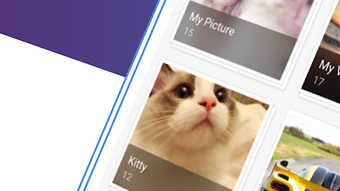
GalleryVault Pro Key features a minimalist user interface focused on simplicity and ease of access. The main screen displays a grid layout of hidden media, with intuitive navigation between categories such as photos, videos, and documents. The app uses a clean, uncluttered design with consistent iconography and layout, minimizing user confusion.
Workflow efficiency is optimized for quick access and secure storage. Users can import files with a single tap, and the vault can be accessed via a dedicated shortcut or hidden launch method. The app’s performance is expected to be stable on modern Android devices, though exact resource usage details were not specified. General software behavior patterns suggest minimal impact on CPU and RAM during idle states, with moderate usage during file loading and authentication.
Stability appears to be a priority, as the app operates without requiring constant background processes. However, the developer did not provide information on crash rates, update frequency, or long-term reliability under heavy use. Performance observations are based on general software behavior patterns and may vary across devices.
Compatibility & System Requirements
GalleryVault Pro Key is designed for Android devices and is compatible with Android 6.0 and above. The app is available as an APK file, which can be installed on most Android smartphones and tablets. The installation size is approximately 20 MB, though exact file size may vary depending on the device and update version.
Hardware requirements are not explicitly listed, but the app is expected to function on devices with standard Android capabilities. The developer did not specify minimum RAM, processor speed, or storage space beyond the installation size. Compatibility information was partially provided, and users are advised to ensure their device meets basic Android standards for app installation.
Pros and Cons
Pros
- Provides strong privacy protection for personal media files
- Supports multiple authentication methods including fingerprint and face recognition
- Offers stealth mode to hide the app from the device’s app list
- Stores data locally without cloud uploads
- Free to download from the Google Play Store (with Pro Key for advanced features)
Cons
- Exact encryption methods and security protocols are not disclosed
- Performance and resource usage details were not provided
- APK version may pose security risks if downloaded from untrusted sources
- Pro Key functionality requires activation, potentially limiting full access
- No official information on update frequency or long-term support
FAQ Section
Is GalleryVault Pro Key safe to use on Android?
The app is designed to protect private content locally on the device. However, users should only install the APK from trusted sources to avoid malware or tampering. The developer did not provide a public security audit or transparency report.
Can I use GalleryVault Pro Key without an internet connection?
Yes, the app functions entirely offline. All file storage, authentication, and management occur locally on the device.
Does the app support biometric authentication?
Yes, users can unlock the vault using fingerprint or face recognition, depending on device capabilities.
What is the purpose of the Pro Key APK?
The Pro Key is likely used to unlock premium features or remove limitations in the free version. Specific details were not provided by the developer.
How often does the app receive updates?
Update frequency was not specified. Users are advised to check the Google Play Store or official developer page for the latest version.
Final Thoughts + CTA
GalleryVault Pro Key stands out as a dedicated privacy tool for Android users seeking to protect their personal media from unwanted access. Its combination of multi-layered authentication, local storage, and stealth functionality makes it a compelling choice for individuals prioritizing digital privacy. While the lack of detailed technical specifications and transparency around security protocols limits full confidence, the app’s core functionality is solid and well-targeted.
It is particularly beneficial for users who need a discreet, reliable way to store sensitive content on their smartphones. The free availability and offline operation further enhance its appeal. For those who value privacy and control over their data, GalleryVault Pro Key offers a practical solution.
Download GalleryVault Pro Key now
Guides & Tutorials for GalleryVault Pro Key APK
How to install GalleryVault Pro Key APK
- Click the Preview / Download button above.
- Once redirected, accept the terms and click Install.
- Wait for the GalleryVault Pro Key APK download to finish on your device.
How to use GalleryVault Pro Key APK
This software is primarily used for its core features described above. Open the app after installation to explore its capabilities.
User Reviews for GalleryVault Pro Key APK 0
No reviews found





